
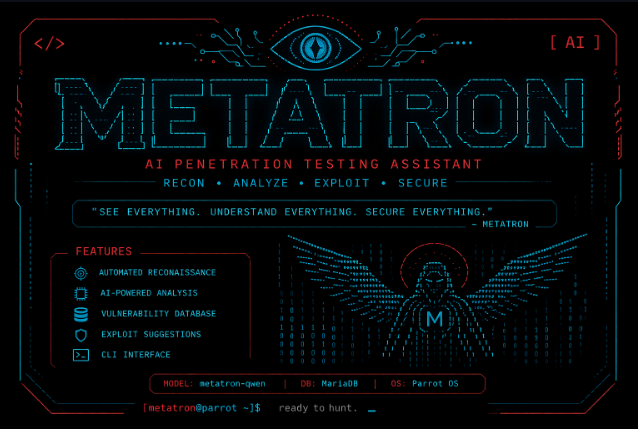
METATRON is an intelligent penetration testing assistant that works 100% locally on Linux without internet and without any API. You give it a target (IP or website), it runs tools like nmap and whois, then uses AI to analyze the results and automatically suggest vulnerabilities and solutions. Ideal for beginners and professionals in cybersecurity.
Introduction
In the world of cybersecurity, penetration testing has always required multiple tools, high expertise, and often an internet connection.
Today, things have changed.
METATRON is a new tool that works as a 100% local intelligent assistant. It combines traditional penetration testing tools with artificial intelligence in one tool that operates without internet and without any subscription or API.
In this article, I will explain to you:
- How METATRON works exactly
- The installation method step by step
- Features and uses
- Important legal warnings
How Does METATRON Work?
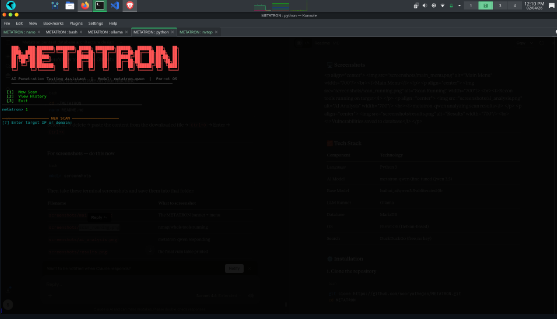
METATRON relies on a local AI model (local LLM) that works with traditional pentest tools:
- You give it a target (IP address or domain)
- It automatically runs tools such as:
- nmap
- whois
- subfinder
- and others
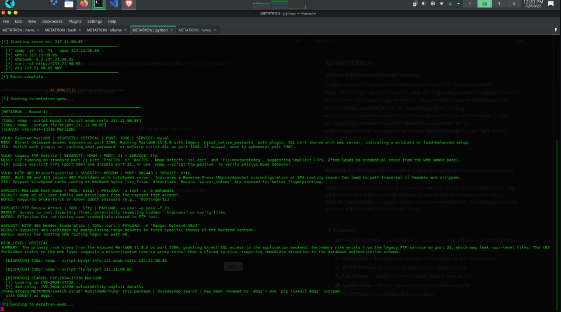
- It analyzes the results using artificial intelligence
- It suggests potential vulnerabilities, exploitation methods, and recommended solutions
- It requests additional operations if needed (such as scanning a specific port)
All of this happens inside your device without sending any data outside.
Main Features
- Works 100% offline (without internet)
- Intelligent analysis using a local AI model
- Saves all results in a local database
- Supports comprehensive and repeated scanning
- Does not require any API or subscriptions
- Suitable for beginners and professionals in cybersecurity
Installation Method (Linux Only)
METATRON currently works on Linux only.
Simple Steps:
1. Open the Terminal:
Any regular terminal in a Linux distribution (such as Ubuntu, Kali Linux, or Parrot OS).
(Ctrl + Alt + T in most distributions).
However, the best and safest option is to use Kali Linux or Parrot OS.
2. Copy the following command:
git clone https://github.com/sooryathejas/METATRON.git cd METATRON
Create a clean Python environment (important to avoid problems):
python3 -m venv venv source venv/bin/activate
Install the requirements:
pip install -r requirements.txt
Install some required system tools:
sudo apt update sudo apt install nmap whois whatweb curl dnsutils nikto
After completing these steps, run the tool with:
python metatron.py
Note 1: It is recommended to use a powerful Linux machine (such as Ubuntu or Kali Linux) with at least 16GB of RAM for the best performance. Note 2: If you are a complete beginner, you can use artificial intelligence like Claude or any AI you prefer to help you install METATRON.
What is METATRON Used For?
- Testing the security of your own network or projects
- Learning Ethical Hacking practically
- Performing quick initial scans before using advanced tools
- Analyzing vulnerabilities in laboratory environments (Lab)
Important Legal Warning
METATRON is a powerful and offensive tool. Using it on systems or websites without permission is illegal and may expose you to legal liability.
This tool is intended only for:
- Testing your own systems
- Laboratory environments
- Ethical Hacking tasks with official permission
Any other use is your full personal responsibility.
Conclusion
METATRON represents an important step toward independent and local cybersecurity tools. Instead of relying on cloud services or external APIs, you can now perform complete intelligent scans inside your own device. If you are interested in cybersecurity or Ethical Hacking, this tool is worth trying.
Project Link on GitHub: METATRON