Introduction
Many users now want to try running large language models (LLMs) locally — such as Llama, Gemma, Mistral, or Qwen — but they always face the same common problem:
"Will this model actually run on my device?"
"Is my RAM enough?"
"Will my graphics card handle it?"
Often, they download the model (sometimes several gigabytes), only to discover after hours that it doesn’t work or runs extremely slowly… wasting both time and effort.
The simple and smart solution to this problem is the tool llmfit.
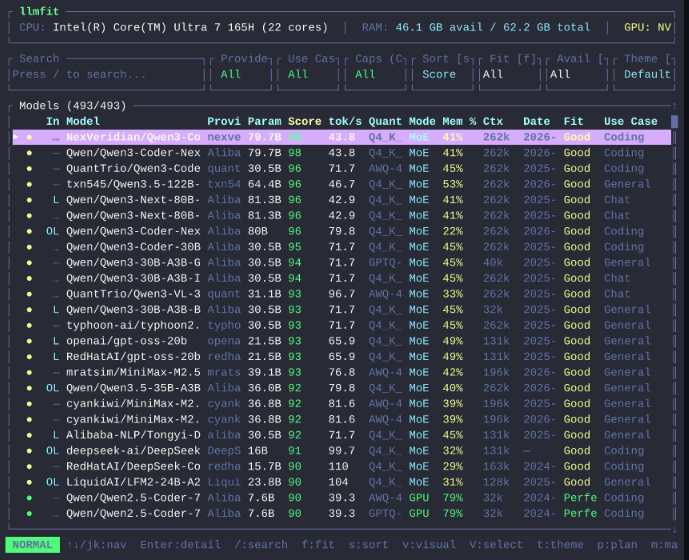
In this article, I will explain quickly:
- What llmfit is and how it works
- What features it offers
- Why it is very useful for developers and enthusiasts who run models locally
What is llmfit?
llmfit is an open-source tool specifically designed to help you check the compatibility of AI LLM models with your device before downloading them.
Instead of guessing or trial and error, llmfit intelligently scans your device and gives you a clear and direct report.
What Exactly Does llmfit Do?
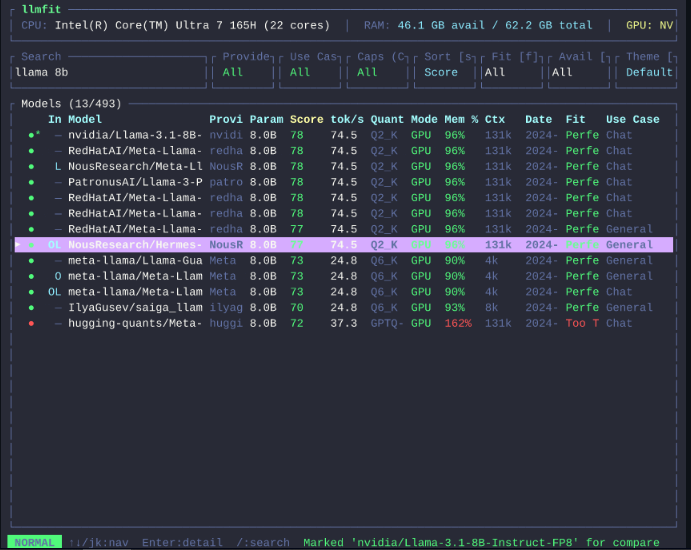
- Scans your device specifications (RAM, CPU, GPU)
- Tests the performance of different models
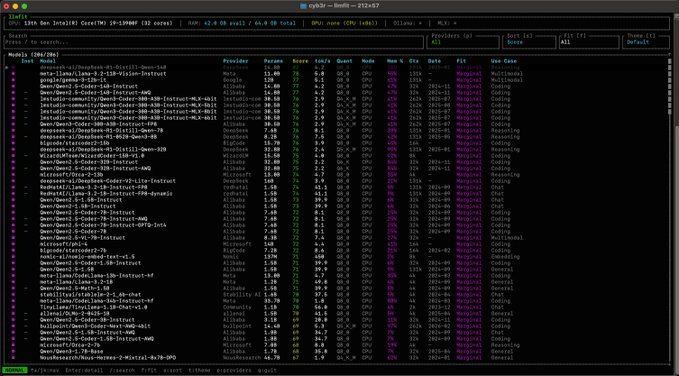
- Evaluates them based on quality, speed, suitability, and context
- Recommends the models that will actually run on your device
- Gives you the best possible running settings
- All of this is done with just one command in the terminal
This way, you avoid downloading large models that don’t suit your device and save a lot of time and storage space.
Who Is llmfit For?
- Developers working with local models
- Researchers and students in the field of artificial intelligence
- Enthusiasts who like running LLMs on their personal devices
- Anyone who wants to avoid failed experiments and wasted time
Conclusion
Before you start downloading any AI LLM model, make sure first that it will actually run on your device.
The tool llmfit makes this process fast, smart, and reliable.
If you are a fan of running models locally, this tool will become one of the essential tools in your toolkit.
Project Link and Installation Guide on GitHub:
llmfit