Yoink: The Best Tool to Extract Content from Any Link
With the modern web cluttered by intrusive ads and trackers, extracting content from links cleanly has become a significant challenge for developers and researchers. Yoink isn't just a simple copy-paste tool; it is an intelligent engine that performs instant Web Scraping to transform any webpage, video description, or source file into a structured, ready-to-use format.
The Technical Value of Yoink
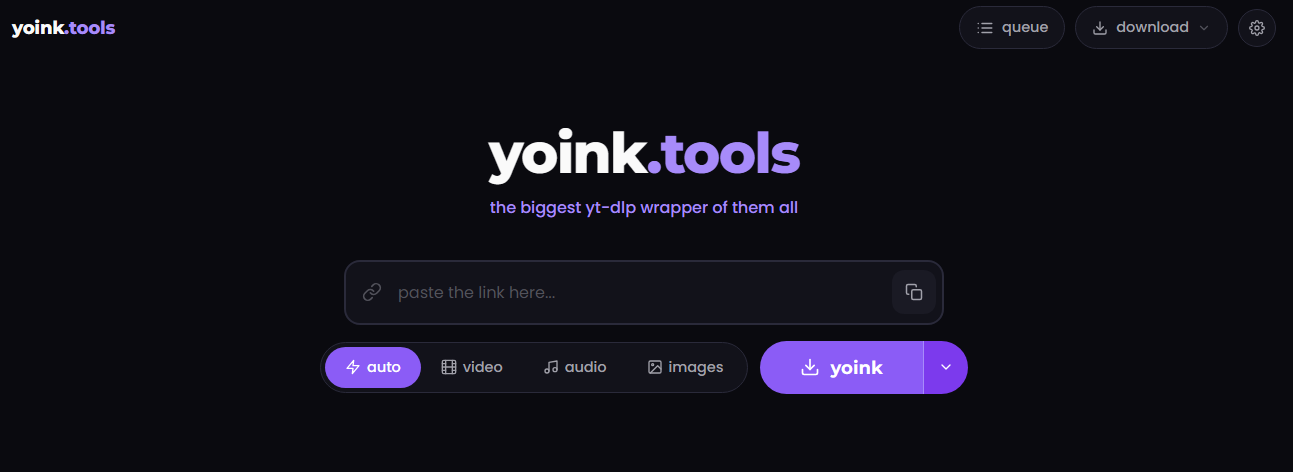
The tool utilizes advanced DOM Parsing algorithms to filter out digital noise. Its standout feature is the ability to convert articles to Markdown, the industry-standard format preferred by developers for documentation on platforms like GitHub and Notion. Unlike traditional, complex scraping tools that require custom coding, Yoink provides a simple web-based interface to reach the core information immediately.
How to Use the Tool (Step-by-Step)
The process is designed for speed and requires no coding knowledge:
- Copy the URL of the article, YouTube video, or GitHub file you want to process.
- Go to Yoink.tools.
- Paste the link into the input field and hit Enter.
- Instantly receive your content in clean Markdown format, ready for copying or direct download.
Technical Comparison: Yoink vs. Alternatives
When comparing Yoink to popular tools like Postlight Parser, Yoink stands out by supporting YouTube metadata and source code files, whereas Postlight focuses strictly on text-based articles. Compared to Pandoc—the powerhouse for command-line conversions—Yoink wins on accessibility and ease of use, as it doesn't require a terminal environment. While Pandoc remains the go-to for massive bulk conversions, Yoink is the superior choice for daily content extraction tasks without the overhead of heavy software.
Frequently Asked Questions (FAQs)
1. Does it support extracting content from password-protected sites? Currently, Yoink works best with public URLs. Content behind paywalls or login screens might not be fully accessible due to privacy protocols and authentication requirements.
2. Can I use it as a replacement for professional scraping tools? Yoink is built for "on-the-fly" individual tasks. If you need to scrape data from thousands of links simultaneously, building a custom script using Python and BeautifulSoup remains the standard professional approach.
3. What formats are supported for export? The primary output is Markdown, though you can easily copy the result and use it as HTML or Plain Text depending on your project's needs.
Summary: Time is the most valuable asset. Utilizing a dedicated tool to convert articles to Markdown like Yoink will save you hours of tedious manual formatting.
KHAWARIZMAI